Workspaces and Applications
The purpose of this tutorial is to let you see the structure of a Neo.mjs workspace, and the structure of an application.
If you wish, you can create a workspace by following the directions in the previous topic, Setup.
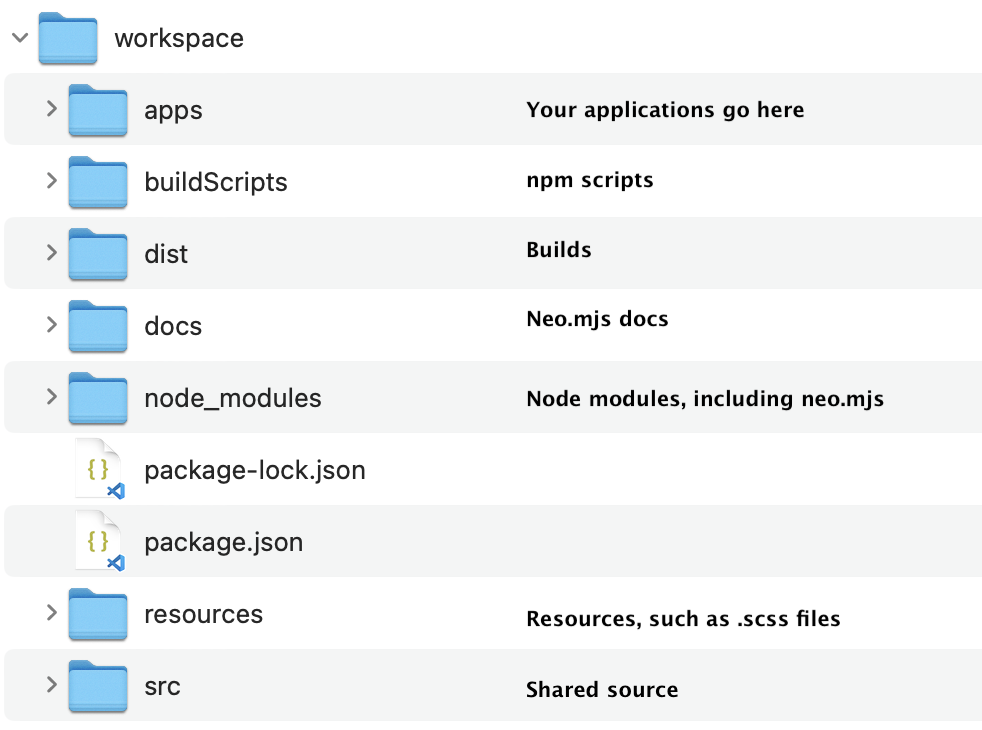
As you can see, a Neo.mjs workspace is a conventional npm package.
Browsing the workspace
If you run
the script npm run server-start from the workspace, Neo.mjs launches a web
server whose doc root is the workspace.
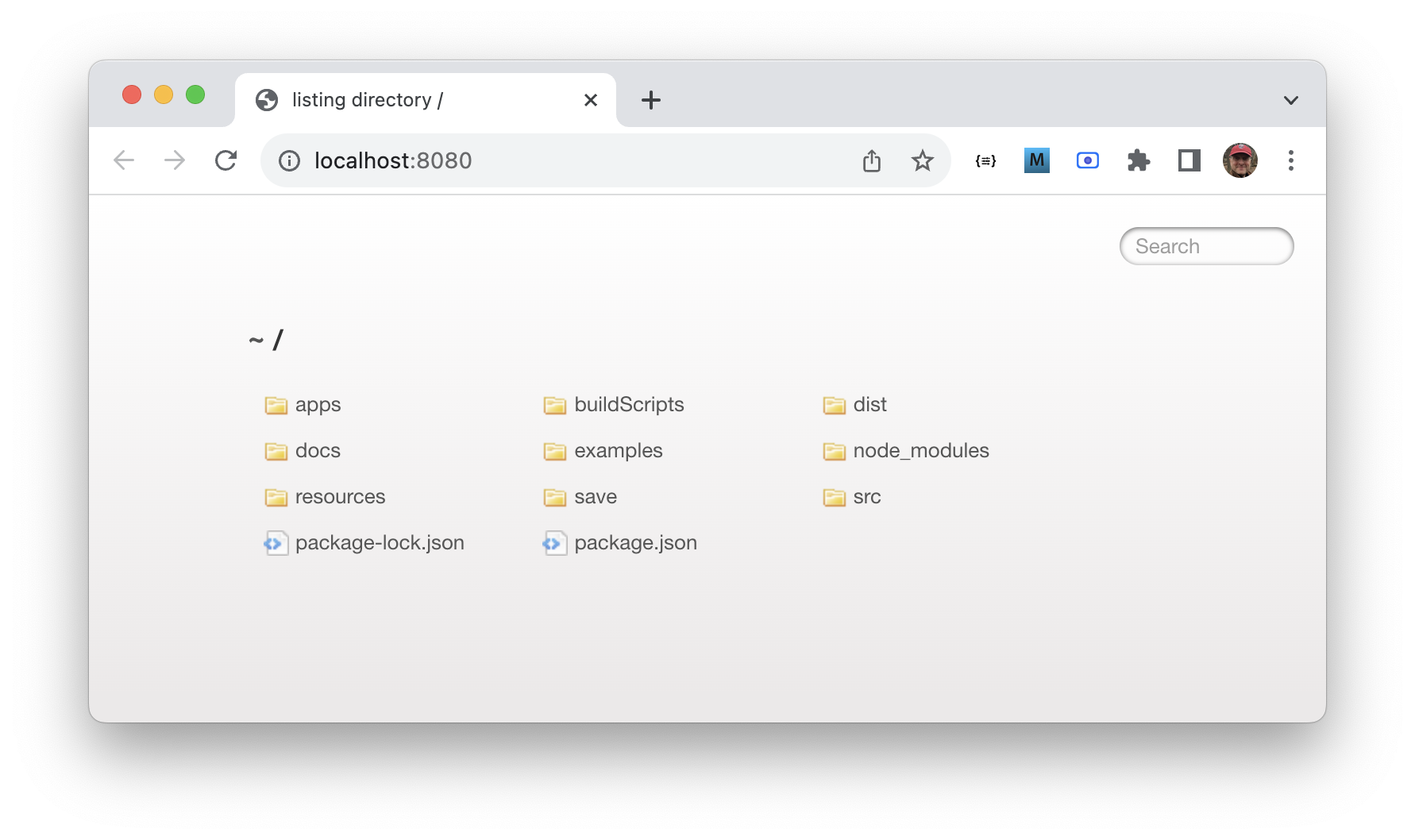
If you drill down into the src directory you'll see your applications.
The docs directory holds the Neo.mjs API docs.
The structure of a simple app
In order to discuss the structure of an app, we'll create a simple starter app via this script, run from the workspace. The script prompts for various application settings.
npm run create-app-minimal
At the first prompt, we'll name the app Foo, and accept the default for everything else.
The script creates an application structured as follows.
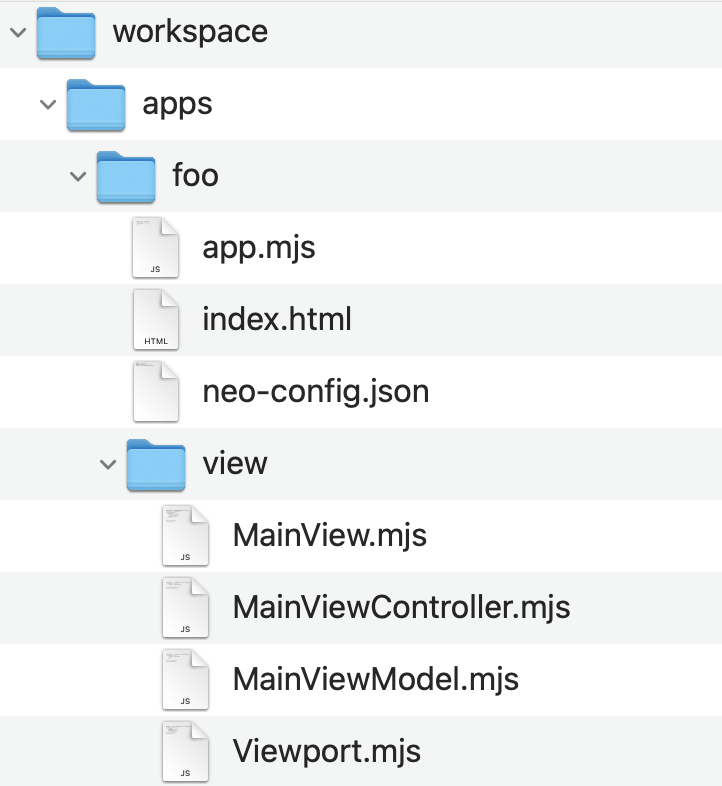
These files are part of the typical structure of a Neo.mjs application. The files index.html, app.mjs, neo-config.json, view/Viewport.mjs are rarely modified.
You will, however, edit the main container, and its associated "controller" and "model",
as well as create new views classes, their controllers, and other application logic.
Some source code
Now let's look at a source file. This is the contents of MainView.mjs.
import Container  from '../../../node_modules/neo.mjs/src/container/Base.mjs';
import Controller from './MainViewController.mjs';
import ViewModel  from './MainViewModel.mjs';

class MainView extends Container {
    static config = {
        className : 'Foo.view.MainView',
        controller: Controller,
        model     : ViewModel,
        layout    : {ntype: 'fit'},
        items     : []
    }
}

Neo.setupClass(MainView);

export default MainView;
Neo.mjs views are composed of components. A component can be a "container", which means it
visually holds or groups other components, or a regular component, like a button. The main
view is a container, which you can see because MainView extends Base, and Base is
the container base class. The items in a container are configured in the items:[], which
is empty in this starter code.
This view also has a "controller" and "model". We'll talk about those later, but in a nutshell, a controller is where event handling and app logic goes, and a model is where you set up shared bindable data.
Adding a button to the view
We'll go into a lot more depth about view, controllers, and models in other topics, but to let you see how a component is configured let's put a button in the container.
First, we need to import the class that defines buttons. Then we'll describe the new button in the
items:[].
import Button     from '../../../node_modules/neo.mjs/src/button/Base.mjs';
import Container  from '../../../node_modules/neo.mjs/src/container/Base.mjs';
import Controller from './MainViewController.mjs';
import ViewModel  from './MainViewModel.mjs';

class MainView extends Container {
    static config = {
        className : 'Foo.view.MainView',
        controller: Controller,
        model     : ViewModel,
        layout    : {ntype:'vbox', align:'start'},
        items     : [{
            module: Button,
            text  : 'Button'
        }]
    }
}

Neo.setupClass(MainView);

export default MainView;
Note the entry in items:[]. That's a description of the button that will be the single item in our
container. In Neo.mjs terms we're configuring the button. Neo.mjs is a declarative framework, in
which components and objects are described. It's an abstraction. In other words, the code describes
what we want, but not how it's done. In the code above, we want our container to have one item —
a button with some text. How that's done isn't important. A non-declarative approach would be more
focused on how, where you might way "I want a <button> HTML element with its innerHTML set to
some value."
In another topic you'll learn about the Neo.mjs config system and declaratively describing views, controllers, and other things.
A running example
Here's a simplified running example. The model and controller are omitted, because they aren't
actually used in the example, and the import root path is different to reflect the location of the
Neo.mjs library relative to the examples.