Frontmatter
| id | 137 |
| title | Missing files, broken links, fails to load |
| state | Closed |
| labels | question |
| assignees | [] |
| createdAt | Nov 29, 2019, 5:19 PM |
| updatedAt | Dec 2, 2019, 11:24 PM |
| githubUrl | https://github.com/neomjs/neo/issues/137 |
| author | diplopito |
| commentsCount | 3 |
| parentIssue | null |
| subIssues | [] |
| subIssuesCompleted | 0 |
| subIssuesTotal | 0 |
| blockedBy | [] |
| blocking | [] |
| closedAt | Dec 2, 2019, 11:24 PM |
Missing files, broken links, fails to load

Hi and welcome to the neo.mjs community diplopito,
there were indeed wrong links inside the examples readme for the helix. pushed a fix.
the easiest way to get a configured webserver is:
npm run server-start
the script will throw 2 errors which you can ignore for now, but should open a new chrome tab right away.
to get the content inside the dist folders, you need to run the following scripts:
npm run build-development
npm run build-production
the examples outside the dist folder (e.g. localhost/neo/examples/component/helix) are way more impressive, since you get the real JS modules inside the browser, like:
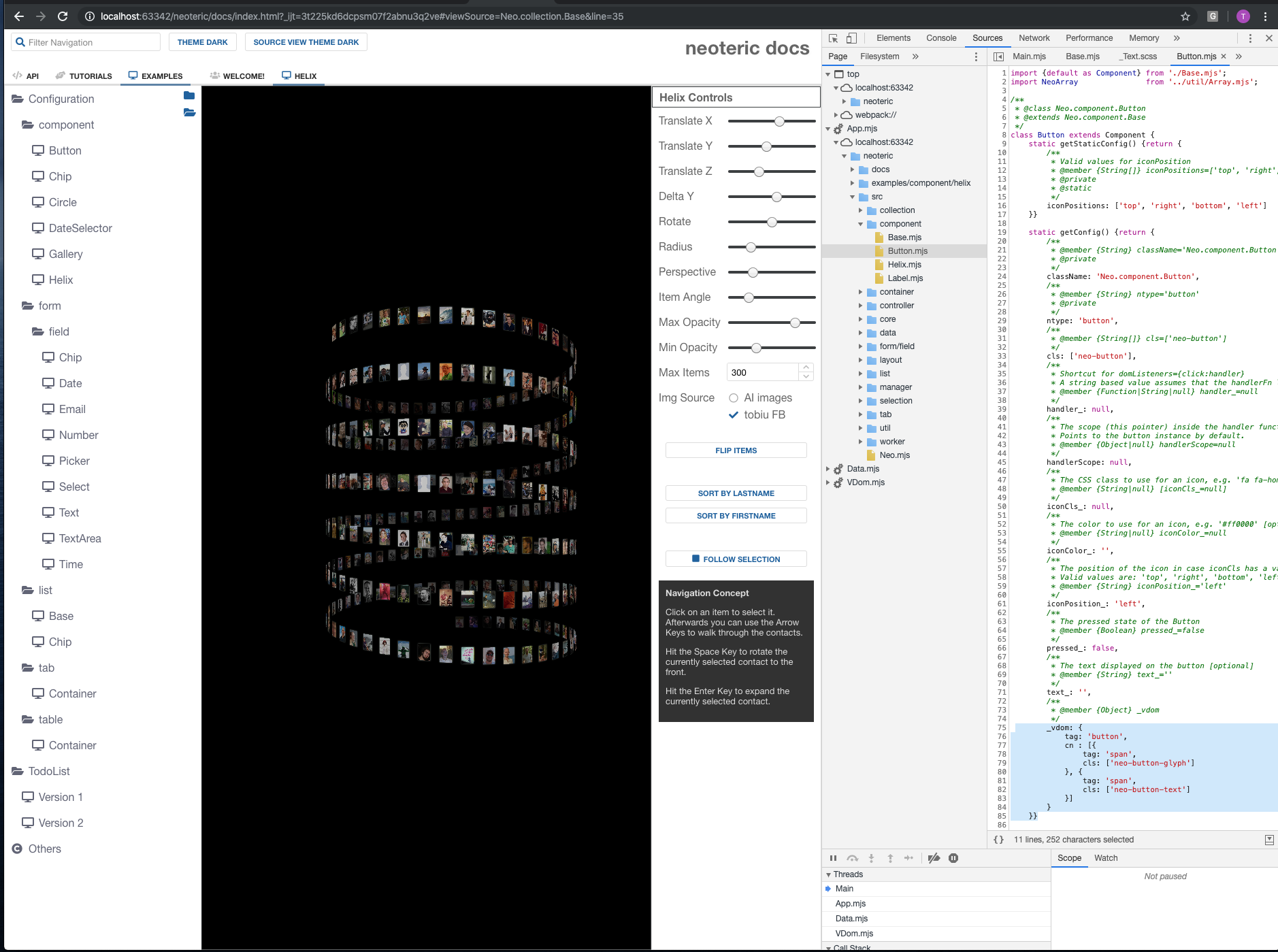
online examples will follow in a couple of days, i am working on the github pages for the real world demo app first (should be completed today) ;)

Hi Tobias,
I cloned it again, followed the steps and it's running very nice. The new examples site looks great, I will start soon working on a couple of projects to learn Neo, very promising indeed. Thanks and congratulations!
Hi Tobias,
I am trying to get started with Neo. I have found the following issues:
Broken links or non existing files:
Failed to load module script: The server responded with a non-JavaScript MIME type of "". Strict MIME type checking is enforced for module scripts per HTML spec.Suggestion:
Unfortunately, with all these issues, I haven't been able to see any component.